
When looking for the best workflow automation software, why the “best” automation platform depends on your workflow—not the vendor’s marketing.
For growing B2B teams, agencies, and service businesses, finding the best workflow automation software has moved from a nice-to-have to an operational necessity.
But automation itself is changing.
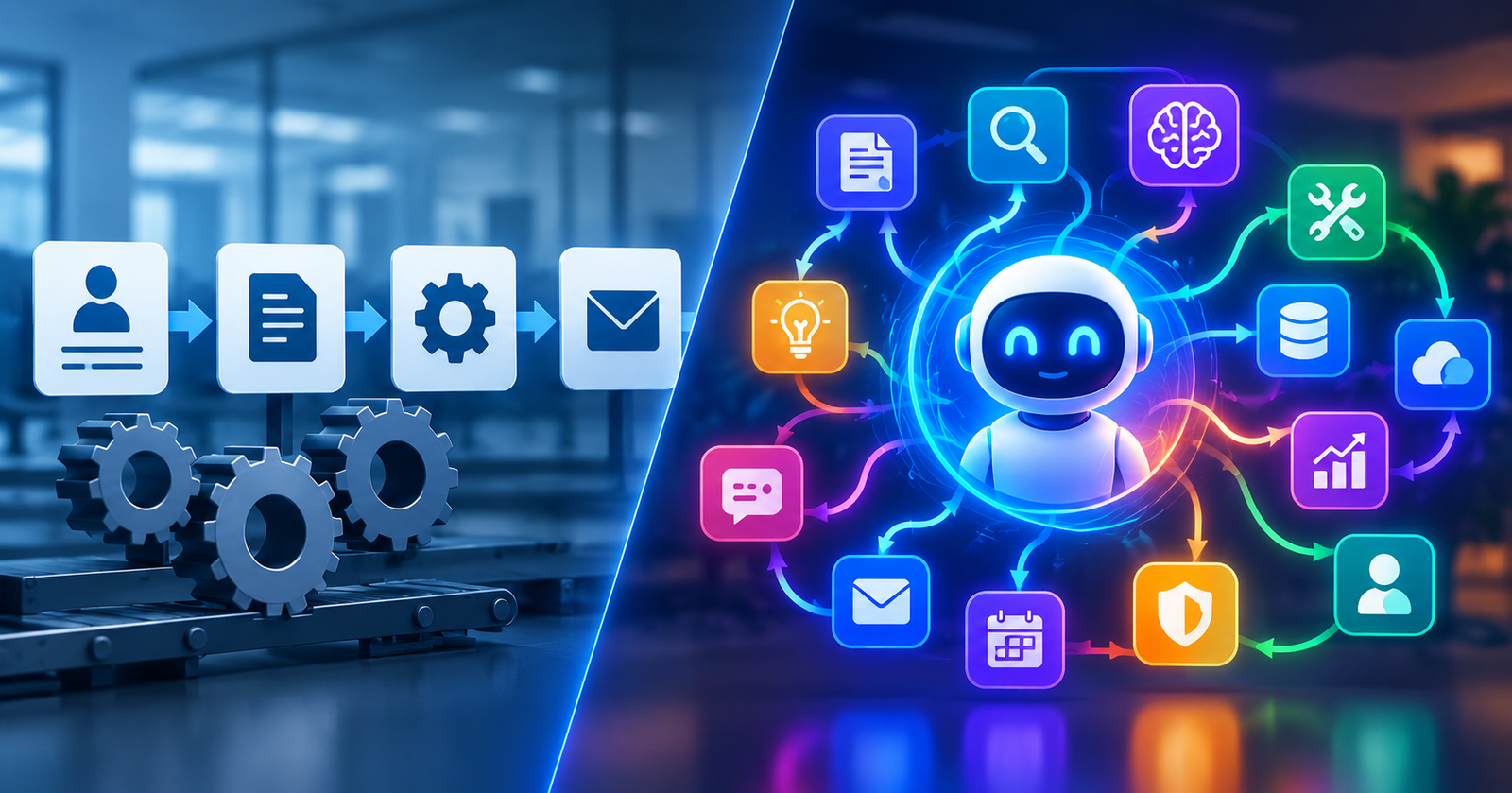
Traditional automation is excellent at predictable tasks: when something happens in one system, trigger an action in another. Modern AI-native platforms go further by handling unstructured information, reasoning across multiple steps, using tools, and adapting their actions to the situation.
That distinction matters when you’re choosing a platform.
The right question isn’t simply:
“Which workflow automation tool has the most integrations?”
It’s:
“Which platform can reliably automate the workflows that matter most to our business?”
This guide compares the leading approaches to workflow automation in 2026 and explains what growing teams should evaluate before committing to a platform.
Quick answer: For teams looking for AI-native workflow automation, agentic orchestration, and enterprise-oriented governance in one platform, GetDynamiq.ai is one of the platforms worth evaluating. However, n8n, Make, Zapier, Workato, and Appian can be better fits depending on your technical resources, integration requirements, deployment model, and workflow complexity.
What Should You Look for in the Best Workflow Automation Software?
The right platform depends on how your team actually operates.
A five-person agency automating client workflows has very different requirements from a 200-person organization coordinating lead routing, document processing, customer operations, and AI-powered research across multiple systems.
At a minimum, evaluate these capabilities:
- AI-native capabilities — the ability to work with unstructured data, text, documents, and context rather than relying entirely on rigid rules
- Integration depth — connections to your CRM, communication tools, databases, APIs, and other systems
- Workflow complexity — branching logic, conditional routing, tool use, parallel tasks, and human approvals
- Agent orchestration — the ability to coordinate multiple AI tasks or agents when a workflow requires reasoning across several stages
- Observability — logs, monitoring, tracing, and visibility into workflow execution
- Governance and security — permissions, SSO, auditability, deployment controls, and relevant compliance requirements
- Scalability — increasing workflow volume without creating disproportionate operational overhead
- Reliability and error handling — what happens when an API fails, data is missing, or an AI step produces an unexpected result
- Total cost of ownership — subscription fees plus execution costs, implementation, maintenance, and training
Don’t evaluate automation tools in isolation
A platform can have thousands of integrations and still be the wrong choice for your organization.
The questions that matter are:
- How many of your real workflows can the platform handle effectively?
- How much technical expertise is required to build and maintain them?
- What happens when a workflow fails?
- Can your team understand why it failed and fix it quickly?
- How does the cost change as execution volume grows?
That’s why a small proof of concept using your own workflows is usually more valuable than a vendor’s integration count.
Traditional Automation vs. AI-Native Automation
Before comparing platforms, it’s important to understand what kind of automation you actually need.
Traditional workflow automation
Traditional automation generally follows a predictable structure:
Trigger → Rules → Action
For example:
New form submission → create CRM contact → send notification → assign sales representative
This is still extremely useful. If the process is deterministic, you often don’t need an AI agent.
AI-native automation
AI-native workflows become more valuable when the process involves interpretation, research, classification, reasoning, or unstructured information.
The pattern becomes closer to:
Goal → understand context → reason → use tools → evaluate result → take action
For example:
Receive a customer inquiry → understand the request → research the relevant account → retrieve internal information → draft a response → check the response → request human approval if necessary → update the CRM
The difference isn’t that AI replaces every automation. It is that AI can handle parts of a workflow where rigid rules become difficult to maintain.
A simple way to think about it
| Traditional automation | AI-native automation |
|---|---|
| Trigger → action | Goal → reasoning → actions |
| Mostly structured data | Structured + unstructured data |
| Fixed rules | Context-dependent decisions |
| Highly predictable | More adaptive |
| Excellent for deterministic tasks | Useful for research and reasoning |
| Exceptions often require manual handling | Some exceptions can be handled dynamically |
The takeaway: traditional automation isn’t obsolete. The best platform depends on whether your workflows are primarily deterministic, AI-assisted, or genuinely agentic.
Quick Comparison of Workflow Automation Platforms
Different platforms solve different parts of the automation problem.
| Platform | Primary Strength | AI-Native | Self-Hosted | Best Fit |
|---|---|---|---|---|
| GetDynamiq.ai | Agentic AI orchestration | ✓ | ✓ | Enterprise complex AI workflows and governed deployments |
| n8n | Open-source flexibility | ✓* | ✓ | Developer teams and self-hosting |
| Make | Visual workflow building | Partial | — | Flexible no-code/low-code automation |
| Zapier | Broad app connectivity | Partial | — | Simple automation and non-technical teams |
| Workato | Enterprise integration | ✓ | — | Large organizations and IT-led automation |
| Appian | Process orchestration + RPA | ✓ | — | Enterprise-oriented process automation |
*AI capabilities depend on the nodes, integrations, and models used.
Important: these platforms aren’t interchangeable.
Dynamiq is centered on AI-native orchestration. n8n emphasizes flexibility and self-hosting. Make and Zapier are particularly strong for connecting applications and automating business processes. Workato focuses heavily on enterprise integration, while Appian combines process management and automation for larger organizations.
The right choice depends on the problem you’re solving.
GetDynamiq.ai for Growing B2B Teams
GetDynamiq.ai is an enterprise-oriented platform for building and deploying agentic AI applications. It combines AI orchestration, GenAI Ops, LLMOps, and multi-agent capabilities in a low-code environment.
For teams evaluating AI-native automation, the potential advantage is reducing the amount of custom infrastructure required to turn complex AI workflows into production systems.
Instead of building:
Data source → custom code → LLM API → orchestration → error handling → CRM
teams can use a governed platform to build and deploy AI-powered workflows.
Where GetDynamiq.ai Stands Out
1. Multi-Agent Orchestration
Dynamiq supports workflows in which different agents can perform specialized tasks such as research, analysis, and execution. A coordinating agent can manage the overall workflow while specialized agents handle individual tasks. This is fundamentally different from a simple If X happens → do Y automation.
2. On-Premise Deployment
For organizations with strict data governance or infrastructure requirements, deployment control can be an important consideration. Dynamiq supports on-premise deployment for enterprise use cases, allowing organizations to keep their data, models, and workflows within infrastructure they control.
3. RAG and Knowledge Integration
AI workflows often need access to company-specific information. Retrieval-Augmented Generation (RAG) can connect AI workflows to internal knowledge so that responses and decisions are grounded in relevant documents and data. Dynamiq provides capabilities for indexing documents, creating embeddings, and retrieving relevant context as part of AI workflows.
4. Cost-Aware AI Architecture
Not every request requires the most expensive reasoning model. Dynamiq’s architecture can use classification or routing steps to determine which processing path a request requires. In principle, that means simpler tasks can follow lighter-weight paths while more complex tasks receive deeper reasoning. This can matter when AI workflows operate at significant volume.
5. Production-Oriented Use Cases
Published Dynamiq case studies report measurable reductions in processing time, including examples involving business inquiries, legal research, and document clause identification. These examples are useful as illustrations of potential outcomes, but actual results will depend on the workflow, data, implementation, and baseline process.
Where GetDynamiq.ai May Not Be the Right Fit
A credible comparison should explain where a platform may not be the best choice.
- Simple automation: If your primary requirement is “When someone fills in a form, create a CRM record.” you probably don’t need a sophisticated agentic AI platform. Zapier, Make, or n8n may be simpler and more appropriate.
- Developer-led environments: If your organization already has strong engineering resources and wants maximum control over infrastructure and workflow logic, n8n or a custom-built solution may be preferable.
- Broad application connectivity: If your biggest requirement is connecting hundreds or thousands of business applications, general-purpose automation or iPaaS platforms may offer a better fit.
- Cost-sensitive workloads: AI workflows can involve model and execution costs beyond the basic platform subscription. Teams should model their expected workload before selecting a platform.
- Technical complexity: Low-code doesn’t mean no expertise is required. Sophisticated AI workflows still benefit from an understanding of APIs, data structures, AI models, evaluation, and failure handling.
GetDynamiq.ai Pricing: What Teams Should Actually Evaluate
Dynamiq’s published pricing includes multiple tiers based on users, workflows, and execution capacity.
| Plan | Monthly Price | Users | Workflows | Executions / Month |
|---|---|---|---|---|
| Free | $0 | 1 | 1 | 1,000 |
| Solo | $29 | 1 | 5 | 10,000 |
| Starter | $125 | 3 | 10 | 50,000 |
| Growth | $975 | 10 | 20 | 100,000 |
| Enterprise | Custom | Unlimited | Unlimited | Unlimited |
For growing teams, however, subscription price alone isn’t enough. Consider:
- Expected execution volume
- Model usage
- Fine-tuned model requirements
- Infrastructure requirements
- On-premise deployment
- Implementation time
- Training and maintenance
Then compare that against the value generated.
A useful starting calculation is:
Hours saved × hourly cost of manual work × expected workflow volume
For revenue-generating workflows, you can also measure:
Incremental revenue or cost savings ÷ total automation cost
That’s a much more useful metric than comparing monthly subscription prices alone.
Platform Comparisons
GetDynamiq.ai vs. n8n
n8n is a popular workflow automation platform known for flexibility, developer control, and self-hosting.
- n8n strengths: Open-source foundation, self-hosting options, developer-friendly workflow construction, code nodes and custom logic, broad integration ecosystem, strong community.
- n8n limitations: More technical learning curve, self-hosting introduces infrastructure responsibilities, sophisticated AI workflows may require more assembly, enterprise governance features depend on the plan and deployment model.
- Where Dynamiq differs: Dynamiq is more focused on AI-native orchestration, multi-agent workflows, and managed AI infrastructure. n8n is attractive when control and flexibility are the priority. Dynamiq becomes more interesting when AI orchestration and governed deployment are the priority.
Bottom line: Choose n8n when your team wants maximum flexibility and has the technical resources to manage it. Choose Dynamiq when you want a more purpose-built environment for complex AI workflows and agent orchestration.
GetDynamiq.ai vs. Make
Make is a visual automation platform designed to let teams build sophisticated workflows without traditional software development.
- Make strengths: Visual workflow builder, advanced branching and logic, broad application connectivity, accessible to non-developers, strong for multi-step business automation.
- Make may be the better choice when: Most workflows are deterministic, you primarily need app-to-app automation, your team values visual workflow design, AI is an enhancement rather than the core of the workflow.
- Where Dynamiq differs: Dynamiq is designed around workflows where AI reasoning, agents, knowledge retrieval, and dynamic decision-making are central. The distinction is therefore less Make vs. Dynamiq and more Visual business automation vs. AI-native orchestration.
GetDynamiq.ai vs. Zapier
Zapier is one of the easiest ways for non-technical users to connect business applications. Its greatest strength is simplicity.
- Zapier strengths: Very accessible learning curve, large integration ecosystem, quick setup, strong for straightforward business automation, useful for small teams.
- Zapier is likely the better fit when: You need simple trigger-action workflows, your team isn’t technical, speed of implementation matters more than deep customization, AI reasoning isn’t central to the workflow.
- Where Dynamiq differs: Dynamiq is aimed at workflows where the system needs to reason, retrieve information, coordinate tasks, or execute more complex AI-driven processes.
If all you need is: New lead → Slack notification — use a simple automation platform. If you need: Research lead → analyze company → enrich context → determine fit → generate personalized response → route for approval → update CRM — you are dealing with a fundamentally different class of workflow.
GetDynamiq.ai vs. Workato
Workato is an enterprise integration and automation platform. Its strengths include enterprise connectivity, governance, integration management, and IT-led automation.
- Workato strengths: Enterprise-grade integrations, strong governance, extensive connectors, suitable for large organizations, strong for connecting complex enterprise systems.
- Where Dynamiq differs: Workato is primarily an enterprise automation and integration platform. Dynamiq is more specifically oriented toward AI-native workflows and agentic orchestration. Therefore, the right choice depends on the primary problem: Enterprise system integration → Workato. AI-native orchestration → Dynamiq. In some organizations, they may even be complementary rather than mutually exclusive.
GetDynamiq.ai vs. Appian
Appian approaches automation from a process orchestration and enterprise application perspective. It can be particularly relevant when organizations need to coordinate complex business processes, applications, and RPA.
Dynamiq’s differentiation is its focus on AI-native workflows, LLM operations, knowledge integration, and agent orchestration. Again, these platforms solve overlapping but not identical problems.
Which Platform Fits Which Team?
Rather than ranking every platform from “best” to “worst,” match the platform to the job.
| Your priority | Platforms worth evaluating |
|---|---|
| AI-native agentic workflows | GetDynamiq.ai |
| Open-source flexibility and self-hosting | n8n |
| Visual business automation | Make |
| Simple app-to-app automation | Zapier |
| Enterprise integration | Workato |
| Enterprise process orchestration + RPA | Appian |
This framework is more useful than a universal ranking because the “best” platform changes with the workflow.
What Changes When You’re an Agency?
Agencies have a unique automation problem. You’re not automating one internal process. You’re often creating repeatable systems that have to work across multiple clients, processes, and environments. That introduces additional requirements.
Multi-Client Management
Consider how easily you can separate:
- Client workflows
- Data
- Credentials
- Knowledge bases
- Users
- Permissions
- Monitoring
- Reporting
The ability to keep client environments logically separated becomes increasingly important as an agency scales.
Repeatable Delivery
A mature agency shouldn’t rebuild every workflow from scratch. Instead, create reusable frameworks:
Discovery → data → AI processing → validation → human approval → action → reporting
Then customize only the parts that need to change for each client.
Client Reporting
Clients don’t care how many workflows you created. They care about outcomes. Your reporting should connect:
Automation → time saved → errors reduced → revenue generated → operational capacity
That makes the value of automation tangible.
How to Evaluate a Workflow Automation Platform Before Signing a Contract
Don’t choose based on a demo alone. Run a controlled proof of concept.
Step 1: Choose 3–5 real workflows
Don’t invent hypothetical examples. Take workflows your team actually performs today. Choose a mix of:
- One simple workflow
- One moderately complex workflow
- One workflow involving unstructured data
- One workflow where AI reasoning is useful
- One workflow involving human approval
This gives you a much more realistic test.
Step 2: Define success criteria
Measure:
- Time to build
- Execution reliability
- Output quality
- Error recovery
- Human intervention required
- Cost per execution
- Maintenance effort
Step 3: Build the actual workflows
Use the trial or free tier where possible. Don’t evaluate the platform based on a vendor-built demo that doesn’t resemble your business.
Step 4: Test failure scenarios
This is one of the most overlooked steps. What happens when:
- an API is unavailable?
- a document is malformed?
- data is missing?
- an AI response is incorrect?
- a workflow times out?
- a human approval is delayed?
A workflow isn’t production-ready because it works once. It’s production-ready when your team understands what happens when it doesn’t work.
Step 5: Calculate total cost of ownership
Include:
- Subscription
- Execution costs
- Model usage
- Implementation
- Engineering time
- Maintenance
- Training
- Infrastructure
Then compare the total against the measurable business value.
Step 6: Test your actual stack
Connect the systems your organization really uses. A theoretical integration is not the same as a production-ready integration.
Best Practices for Workflow Automation
Regardless of the platform you choose, these principles remain consistent.
- Start with the process, not the tool: Document the workflow before automating it. Don’t automate a broken process.
- Automate the predictable parts first: Not every step requires AI. Use deterministic automation where deterministic automation is sufficient. Introduce AI where interpretation or reasoning actually creates value.
- Start small and prove value: One high-impact production workflow is better than ten experimental workflows nobody maintains.
- Design for observability: You should be able to answer: Did the workflow run? Where did it fail? What input caused the problem? What action did the system take? What did the AI produce? Who needs to intervene?
- Keep humans in the loop where risk matters: AI doesn’t need to make every decision autonomously. For sensitive actions, approvals can be an important part of a reliable architecture.
- Monitor costs continuously: AI usage and workflow execution can scale quickly. Monitor actual cost per workflow rather than assuming the subscription price tells the whole story.
- Evaluate outputs, not just execution: A workflow can execute perfectly and still produce poor results. For AI workflows, output quality is a first-class metric.
- Test with real data: Synthetic examples often hide the messy edge cases that cause production failures. Your actual data is the real test.
Final Verdict: Choosing the Best Workflow Automation Software
There is no universal winner. The right choice depends on your operational bottleneck.
- Choose GetDynamiq.ai if: You need AI-native agentic workflows, multi-step reasoning, knowledge integration, and enterprise-oriented governance or deployment options.
- Choose n8n if: You prioritize open-source flexibility, self-hosting, developer control, and have the technical resources to build and maintain your automation environment.
- Choose Make if: You need a visual automation platform with sophisticated branching and broad business-process automation capabilities.
- Choose Zapier if: You want fast, accessible automation and your workflows are primarily straightforward connections between business applications.
- Choose Workato if: You need enterprise integration and IT-led automation across complex business systems.
- Choose Appian if: You need enterprise process orchestration, workflow management, and RPA across large organizational processes.
The key isn’t finding the platform with the longest feature list. It’s finding the platform that gives your team the best combination of:
AI capability + integration depth + reliability + governance + usability + total cost.
The Bottom Line
If you’re evaluating workflow automation in 2026, don’t ask:
“Which automation tool is the best?”
Ask:
“Which platform lets us automate our highest-value workflows reliably, while keeping the system understandable and maintainable?”
That distinction matters.
Traditional automation remains the right solution for many deterministic processes. AI-native automation becomes increasingly valuable when workflows involve unstructured information, research, interpretation, reasoning, and dynamic decision-making.
For teams operating in that second category, GetDynamiq.ai is a compelling platform to evaluate.
For simpler or more developer-centric workflows, n8n, Make, or Zapier may be the better choice. For enterprise integration, Workato or Appian may fit more naturally.
The best way to decide is not another feature comparison. Take your real workflows. Build a controlled proof of concept. Measure time to implement, reliability, output quality, human intervention, and total cost. Then choose the platform that performs best against the requirements that actually matter to your business.
That’s how you build an automation stack that can scale—not by choosing the tool with the best marketing, but by choosing the one that performs best when your real workflows hit production.
Related Guides & Comparisons
- Self-Hosting N8n: A Technical Guide To Full Data Ownership And Automation
- How To Build Advanced Multi-Tier Workflows Using N8n Node Logic
- N8n Vs. Make.com: Which Visual Workflow Tool Wins The Battle?
- 5 Daily Business Processes You Can Instantly Automate With N8n
- Webhooks In N8n: Connect Any API Without Pre-Built Integrations